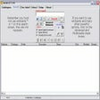
Organize and search disc collections effortlessly with detailed catalogs, duplicate detection, and handy file tools
Organize and search disc collections effortlessly with detailed catalogs, duplicate detection, and handy file tools
Vote (13 votes)
Program license Free
Developer Boozet
Version 4.2
Works under Windows
Vote
(13 votes)
Developer
Boozet
Works under
Windows
Program license
Free
Version
4.2
Pros
- Supports a wide range of storage devices and formats
- Fast indexing and compact catalog files
- Built-in utilities for duplicate detection, renaming, and splitting
- Powerful and flexible search functionality
- Free to use and lightweight
Cons
- Manual catalog updates required for file changes
- No unified catalog option for merging multiple media sources
- User interface is somewhat dated and basic
- Lacks advanced integration with cloud services or automation tools
Efficient tool for cataloging CDs, DVDs, folders, and removable drives
Comprehensive Media Cataloging
Visual CD is a disk cataloging application designed for Windows users who manage extensive collections of CDs, DVDs, removable drives, or even hard drive folders. Its primary function is to index and catalog the contents of media and storage devices, allowing users to track file locations and details without having physical access each time.
Intuitive Catalog Creation
Visual CD makes cataloging straightforward. Insert any supported media (CD, DVD, USB drive, or select a hard drive folder), and the software quickly scans, indexes, and saves the file structure. These catalogs are stored on the local PC, enabling detailed browsing and fast searches even when the actual media is not connected. This system is particularly useful for users with large or frequently changing collections.
Wide Device and File Format Support
Beyond CDs and DVDs, Visual CD accommodates a variety of sources—including USB devices, external hard drives, network folders, and even classic floppy disks. Users can also catalog local folders for better internal organization. Catalogs are independent, and each media or folder is treated separately. While this approach maximizes flexibility, it can lead to a large number of individual catalog files for those with extensive libraries.
Advanced File Management Tools
The application includes several built-in utilities that add to its versatility:
- Duplicate Finder: Scans catalogs to locate duplicate filenames—helpful for optimizing space and reducing clutter.
- File Splitter: Breaks large files into smaller segments for easier transport or storage on devices with size limitations.
- Batch Renamer: Efficiently renames collections of files, especially useful for organizing photo libraries or music files.
- Playlist Generator: Gathers multimedia files into playlists directly from catalogs.
- Thumbnail Maker: Automatically generates thumbnails for common image and video formats within the catalog, which speeds up file identification.
Flexible Search Capabilities
Visual CD offers robust searching options, allowing quick location of files or folders by name, type, size, date, or attributes—even across multiple catalogs. Search results are presented in a familiar Windows Explorer-style interface, with options to jump directly to the cataloged file’s details.
Portable and Lightweight
The software is highly optimized for performance, requiring minimal system resources. Its installation footprint is small, and the catalogs it creates are compact. Many users appreciate the software’s portability—catalog files can be moved or shared for off-site inventory or team collaboration.
Limitations and Considerations
While Visual CD is effective for media cataloging, it relies on manual catalog creation and updating. This means users must re-index media after adding or removing files to keep catalogs current. The independent catalog method can also make consolidated management more cumbersome for complex collections. There is no advanced enterprise-level integration, but the tool effectively addresses the majority of personal and small business cataloging needs. The interface is functional, though it may feel dated compared to more modern applications.
Pros
- Supports a wide range of storage devices and formats
- Fast indexing and compact catalog files
- Built-in utilities for duplicate detection, renaming, and splitting
- Powerful and flexible search functionality
- Free to use and lightweight
Cons
- Manual catalog updates required for file changes
- No unified catalog option for merging multiple media sources
- User interface is somewhat dated and basic
- Lacks advanced integration with cloud services or automation tools